
1. Choose a clear reference
Pick a photo that shows the piece from an angle where you can see its main parts. If you have more than one view, compare them before planning. A single image can hide the back, underside, and joints, so expect to make choices for anything the photo cannot show.
2. Create and inspect the 3D model
In TimberLab, start with the photo and inspect the generated model from every side. Count shelves, legs, rails, and panels. Check how parts meet. Treat the first model as a draft that helps you see the design, rather than a final set of shop drawings.
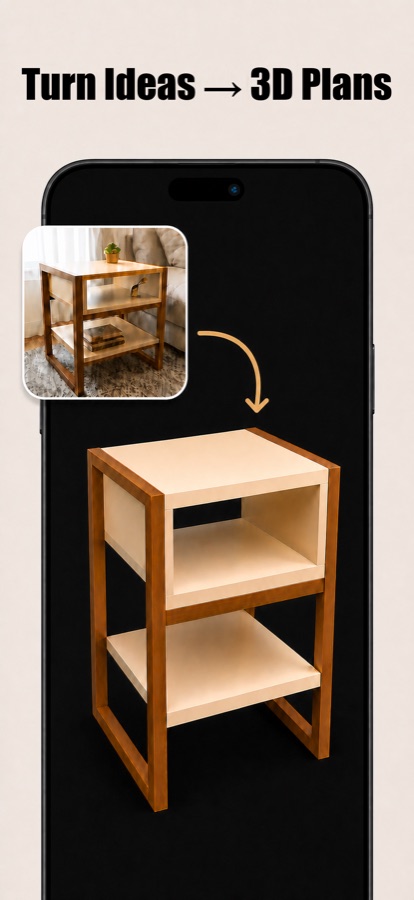
3. Make the design fit your space
Decide the finished width, depth, and height before cutting. Check practical clearances such as door swings and shelf openings. You can ask TimberLab to change the model, then look again from all sides to make sure the edit worked as intended.
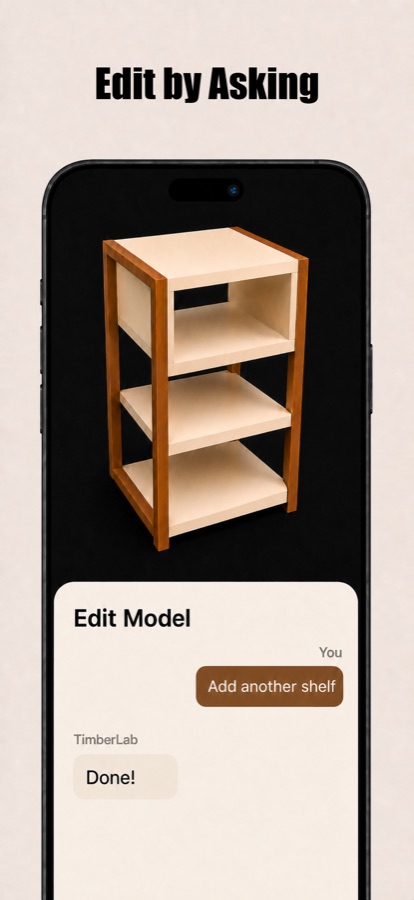
4. Review the cut list
Use the model’s measured parts list as a planning aid. Confirm each quantity and dimension against the actual model. Decide on material thickness, joinery, grain direction, and any allowances your build method needs. For a more detailed check, use our cut list checklist.
5. Plan the build sequence
Think through how you will assemble the piece and which measurements depend on others. Dry fit when practical, and measure your real stock before making final cuts. If the photo leaves a structural question unanswered, resolve it before you build.
TimberLab helps you explore and revise the design, while you remain responsible for verifying measurements, materials, joinery, and safety.