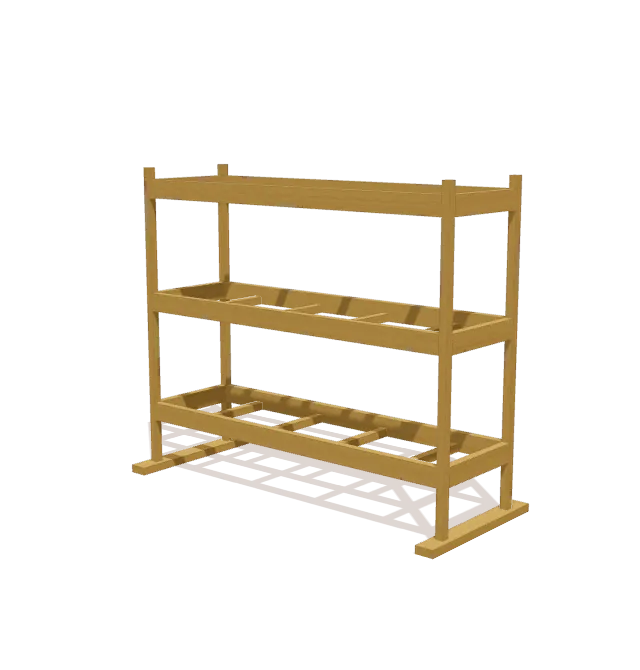
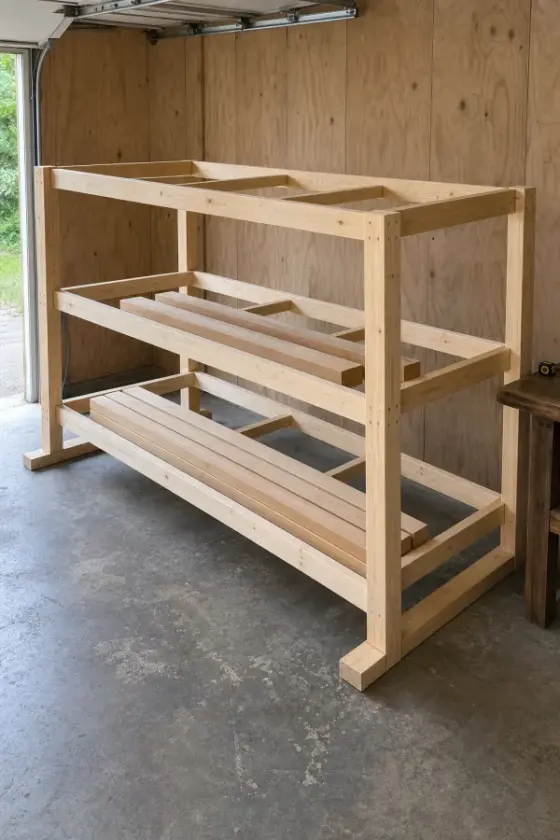
What you’ll build
Each end is a ladder frame: two 58½″ 2x2 posts on a 30″ 2x4 foot with three side rails. 67½″ 2x4 rails join the ends at each level, and four 2x2 joists per level carry the stock.
Shopping list
Buy these boards. The list fits every cut onto standard lengths and leaves ⅛″ for each saw cut and ¼″ for trimming board ends.
| Lumber | Length | Qty |
|---|---|---|
| 2x4 | 8 ft | 7 |
| 2x2 | 8 ft | 5 |
Cut list
All 30 parts, grouped so you can cut matching pieces together. Exact lengths and end-cut angles for every part are in the free plan in the TimberLab app.
| Part | Lumber | Qty |
|---|---|---|
| Joist | 2x2 | 12 |
| Rail | 2x4 | 6 |
| Side Rail | 2x4 | 6 |
| Post | 2x2 | 4 |
| Base | 2x4 | 2 |
Tools
- Tape measure
- Pencil
- Speed square
- Eye & ear protection
- Drill
- Miter saw
- Clamps
- Sander
Step-by-step instructions
Position Left Posts on Base
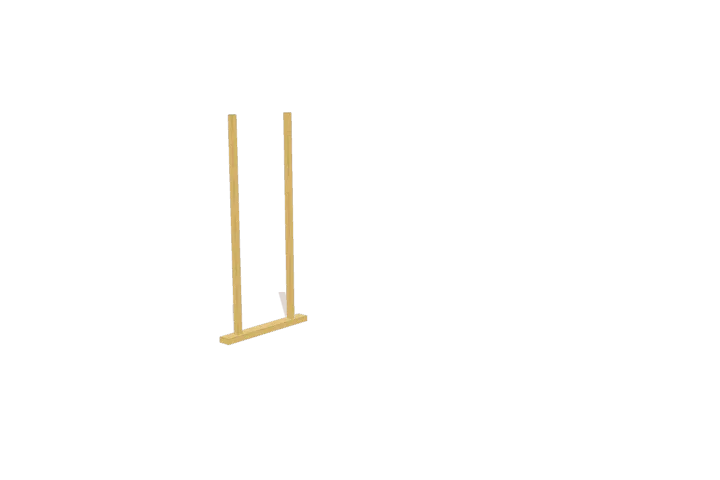
Work on a flat surface and lay out the 30-inch left base foot. Place the two 58 1/2-inch upright posts perpendicular to the top face of the foot, spacing them 18 1/2 inches apart and flush with the outer sides.
Add Left Side Rails
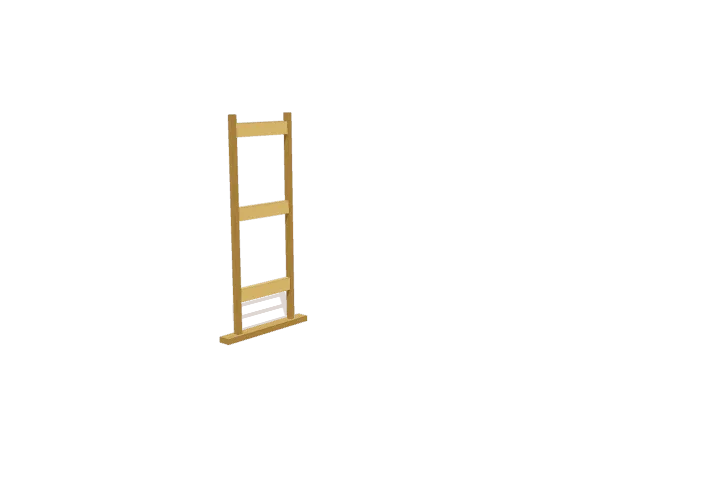
Set the three 18 1/2-inch left side rails between the front and back posts at the bottom, middle, and top layout marks. Align the faces flush with the post edges and clamp the ladder assembly flat.
Position Right Posts on Base
Add Right Side Rails
Join Side Frames with Bottom Rails
Fit Bottom Support Joists
Add Middle Shelf Rails
Fit Middle Support Joists
Add Top Shelf Rails
Fit Top Support Joists
Get the full plan: all 10 steps and every cut length.
Download TimberLab and open Lumber storage rack in the catalog to get every cut length and end-cut angle, all 10 assembly steps in 3D, and Timbo, the AI build helper. Catalog plans are free to open; some features, such as AI edits, require a subscription.


Keep the heaviest boards on the bottom level and don’t overload the 2x2 joists. On an uneven floor, shim the feet so the rack doesn’t rock.
Change the size or design
This plan is one of the projects in the TimberLab app’s catalog. In the app you can turn the model in 3D, follow the assembly steps one part at a time, and ask for changes in plain words, such as “make it 6 inches shorter” or “add a shelf”. The cut list and shopping list update to match the new design.
Questions about this plan
How much lumber do I need to build this lumber storage rack?
The shopping list calls for 7 × 2x4 at 8 ft; 5 × 2x2 at 8 ft. It groups every cut onto standard board lengths and leaves room for saw cuts and trimming the board ends.
How big is the finished lumber storage rack?
It is 72 ½″ wide, 60″ tall, and 30″ deep.
What tools do I need?
You need a tape measure, pencil, speed square, eye & ear protection, drill, miter saw, clamps, sander.
Can I change the size of this lumber storage rack?
Yes. Open the lumber storage rack in the TimberLab app and describe the change in plain words, such as “make it 6 inches shorter”. The 3D model, cut list, and shopping list update together.
Where can I get the full lumber storage rack plan?
The full plan, with every cut length and all 10 assembly steps in 3D, is free in the TimberLab app. Download TimberLab on the App Store and open the lumber storage rack in its catalog.